Git, at home on your Mac.
A native Git client for macOS. Free and open source.
macOS 26 or later · Apple silicon
Native
Made with SwiftUI and AppKit for macOS 26.
Your own Git
Kaern runs the git you already have, with your config and hooks.
No account
It signs in with your SSH agent and keeps tokens in the Keychain.
Free and open source
AGPL-3.0, developed in the open on GitHub.
Repositories
Every repository in reach
Open as many as you work on. They all come back the next time you start Kaern.
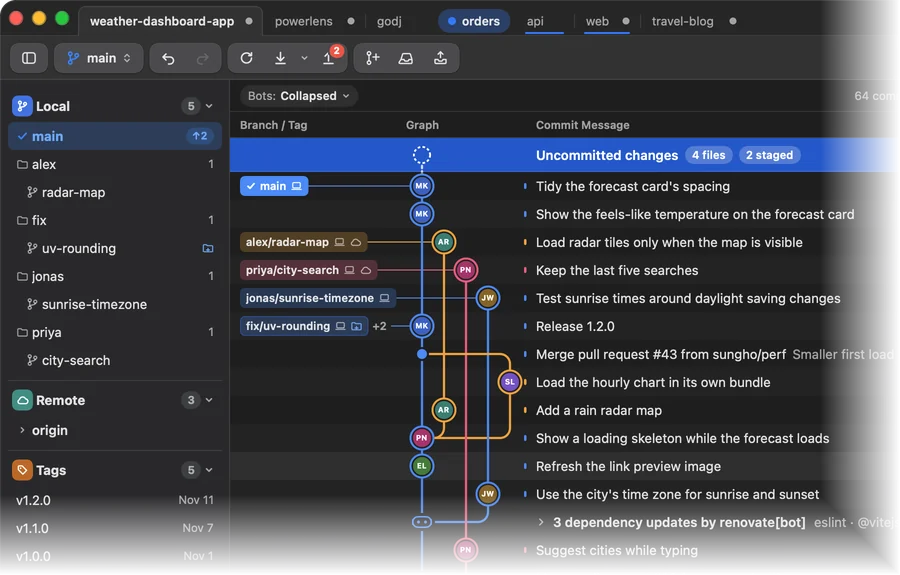
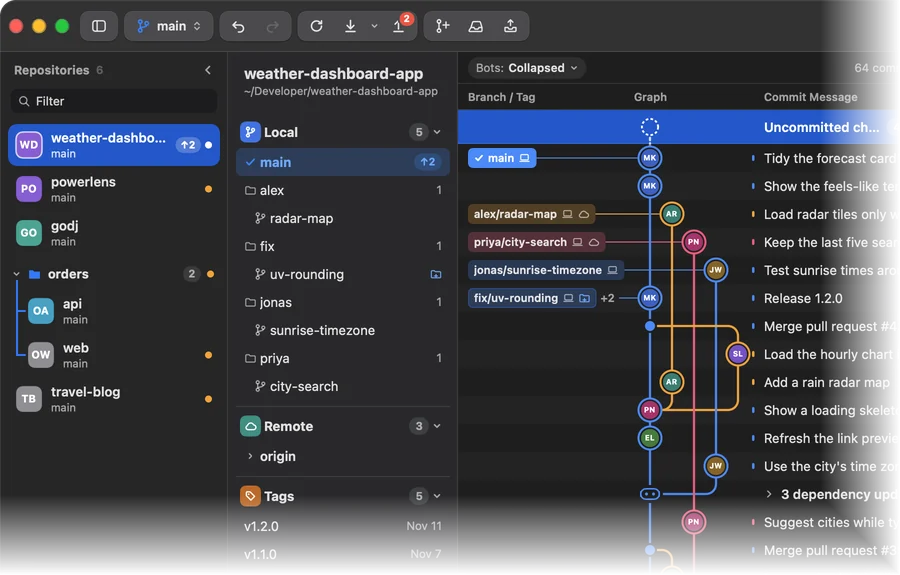
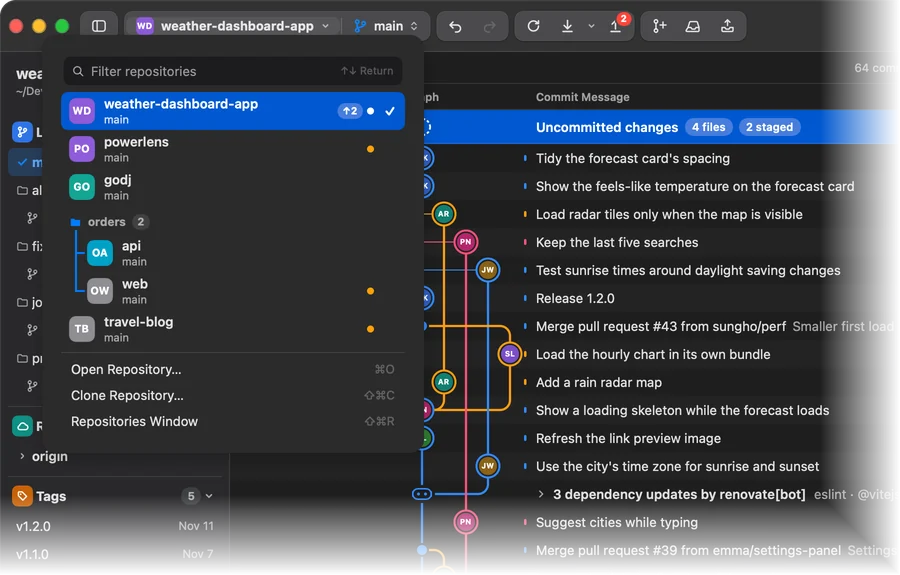
Switch your way. Tabs like a browser, a list beside the history, or one button in the toolbar. Repositories that belong together can share a group.
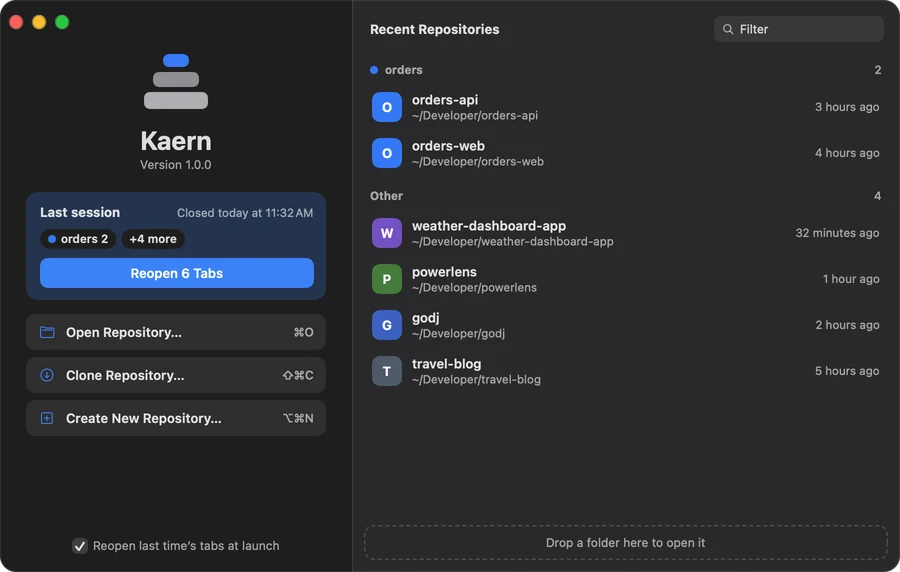
Start where you left off. The start window reopens last time’s tabs in one click and lists recent repositories by group.
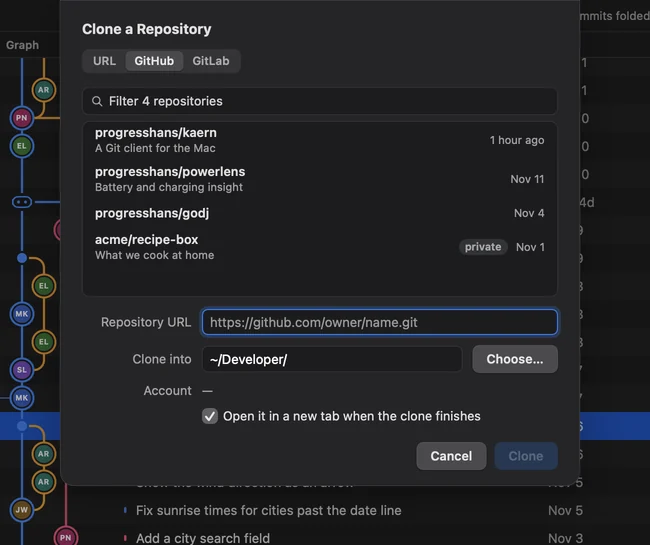
Clone and publish. Sign in to GitHub or GitLab once, then clone your repositories or publish a new one.
History
A history you can read
Branches keep their colors, and the rest stays out of your way.
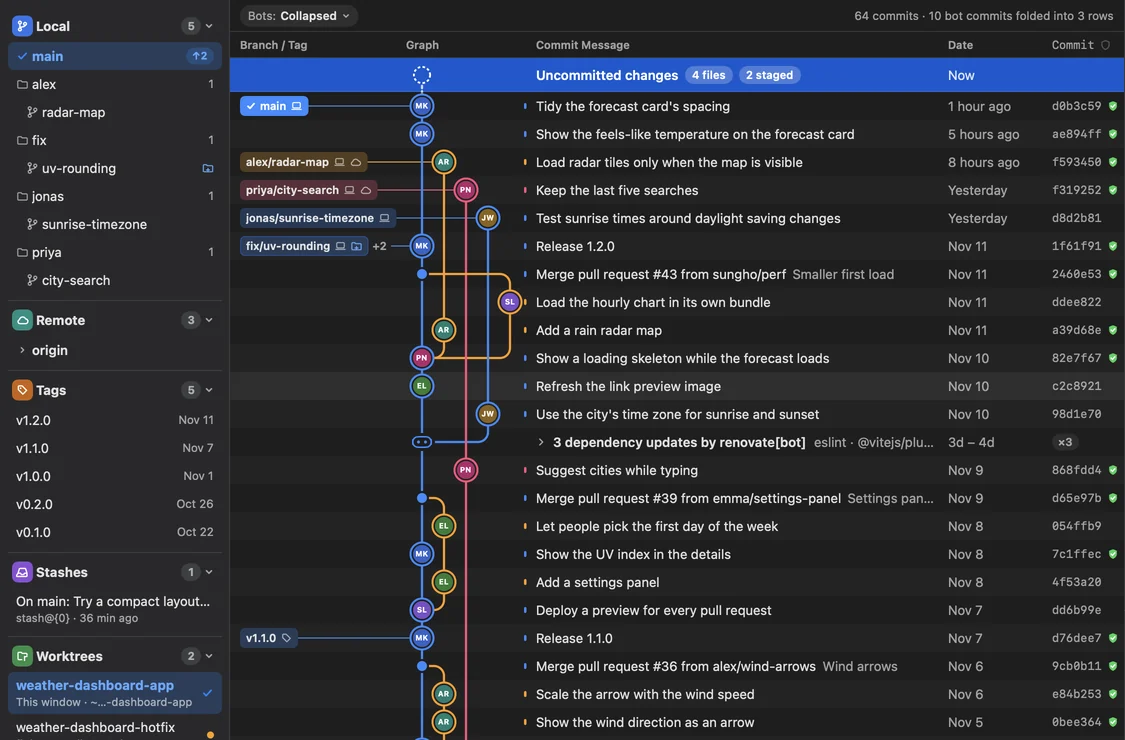
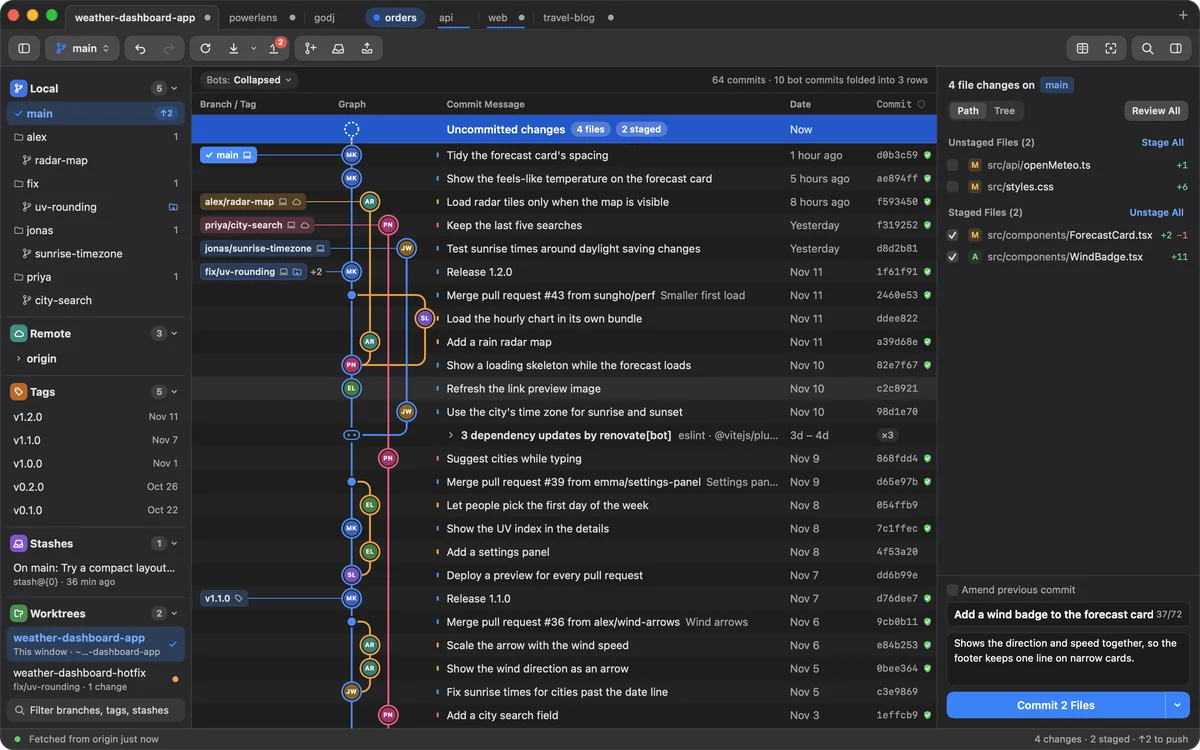
The graph. Each branch keeps its color, and tags and remote branches sit beside their commits.
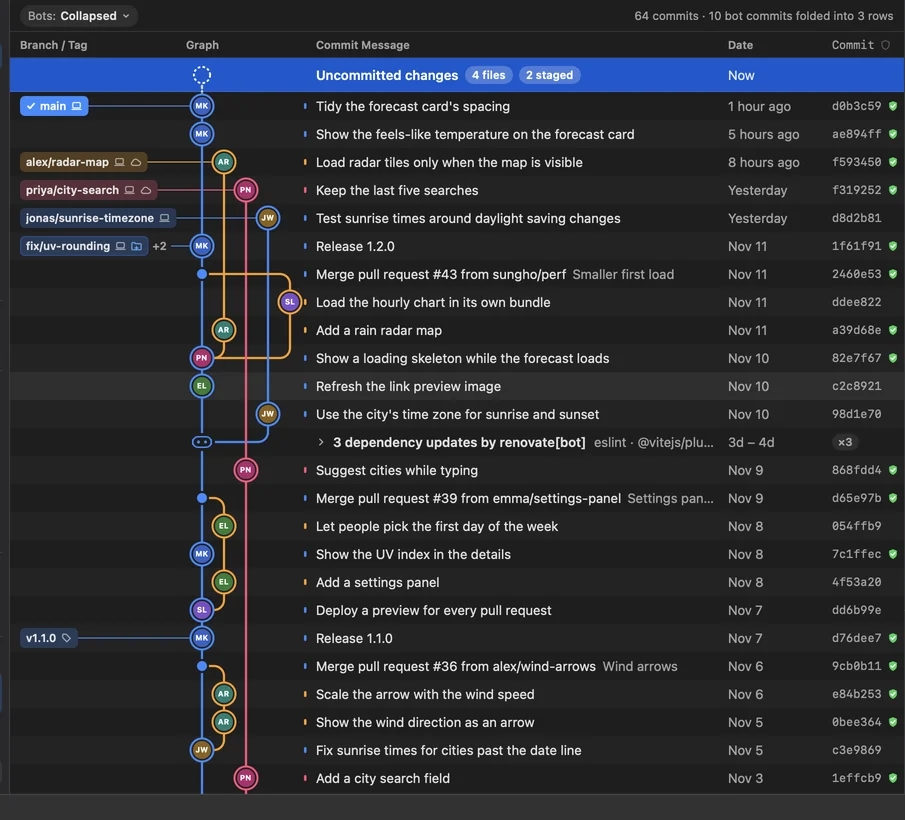
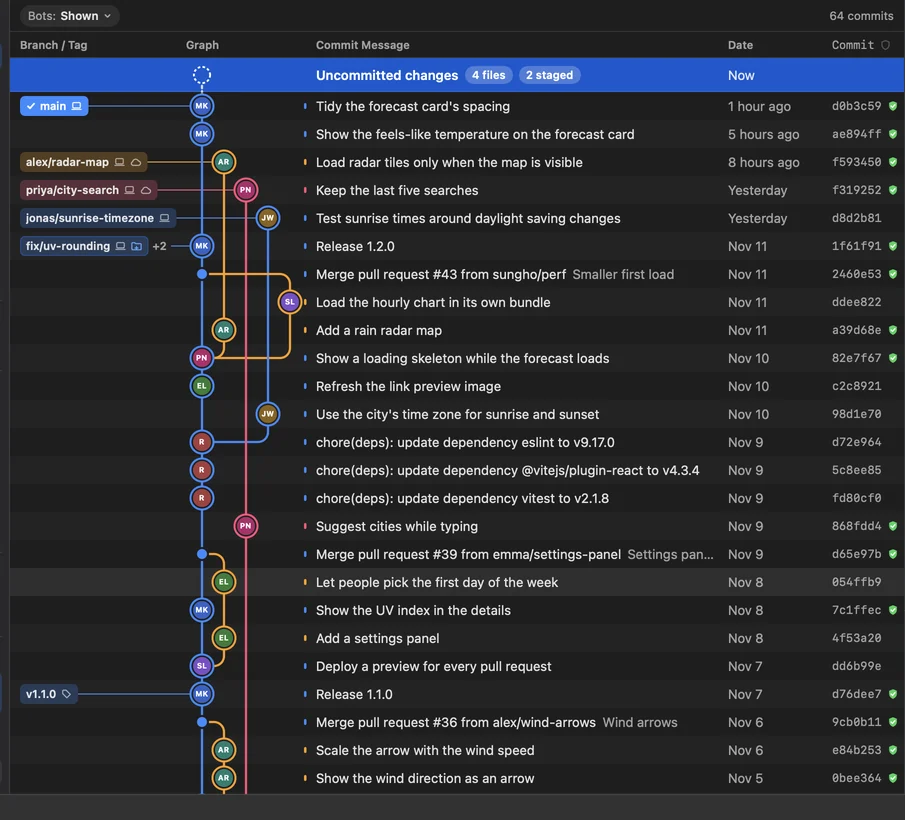
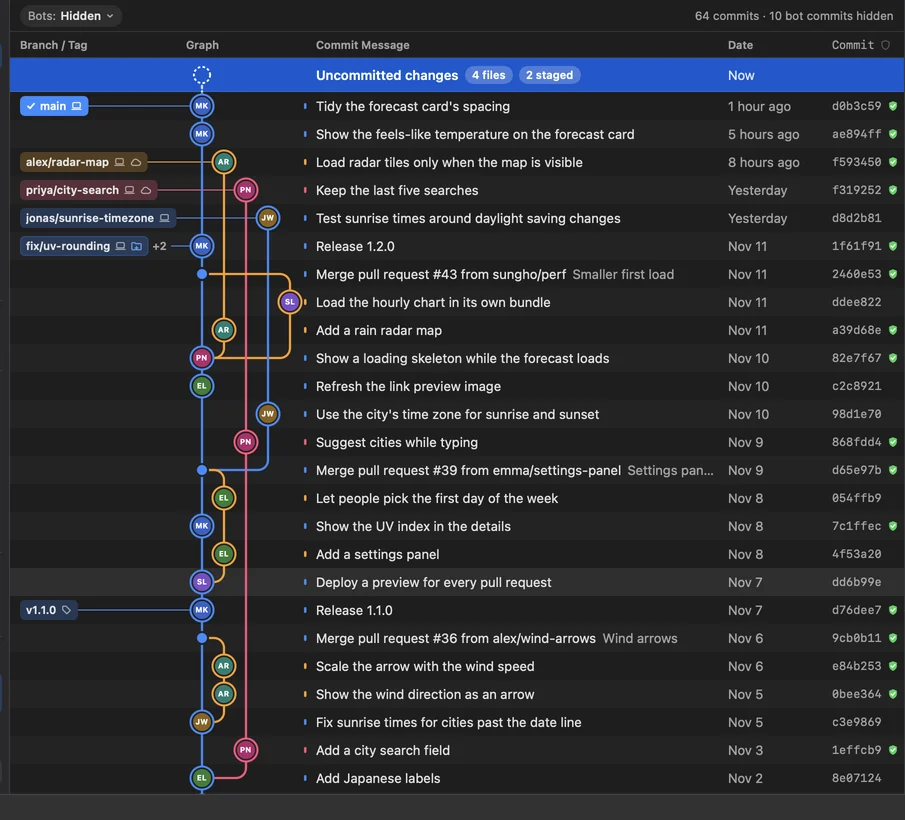
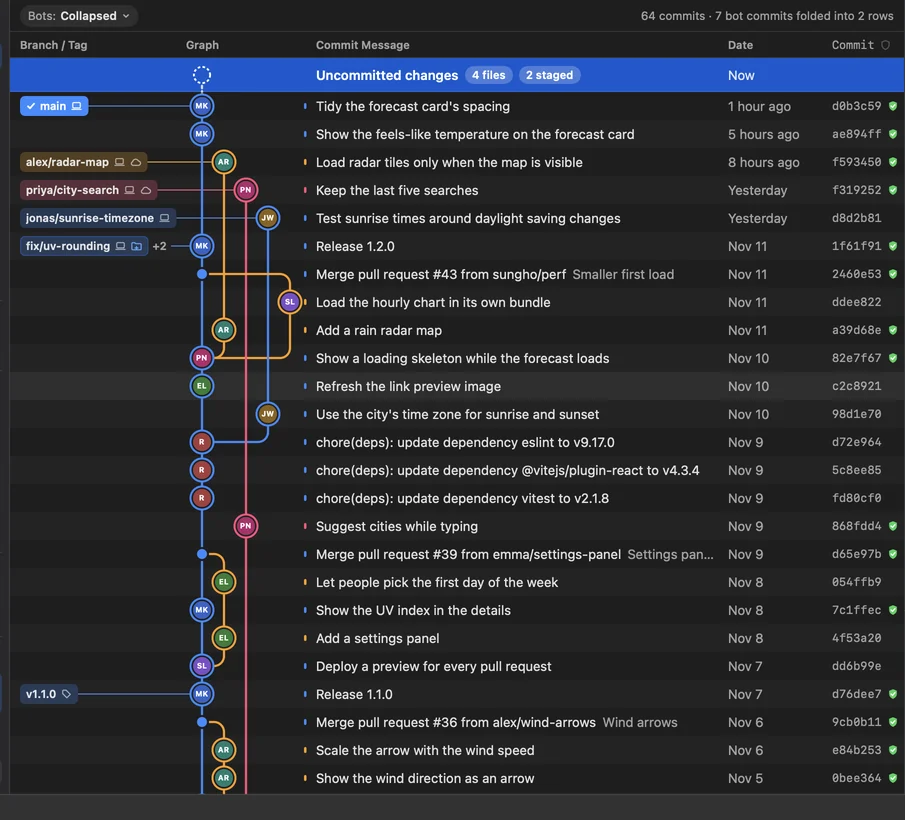
Bot updates. Updates from dependency bots fold into one row, or leave the graph altogether. Click a folded row to open it.
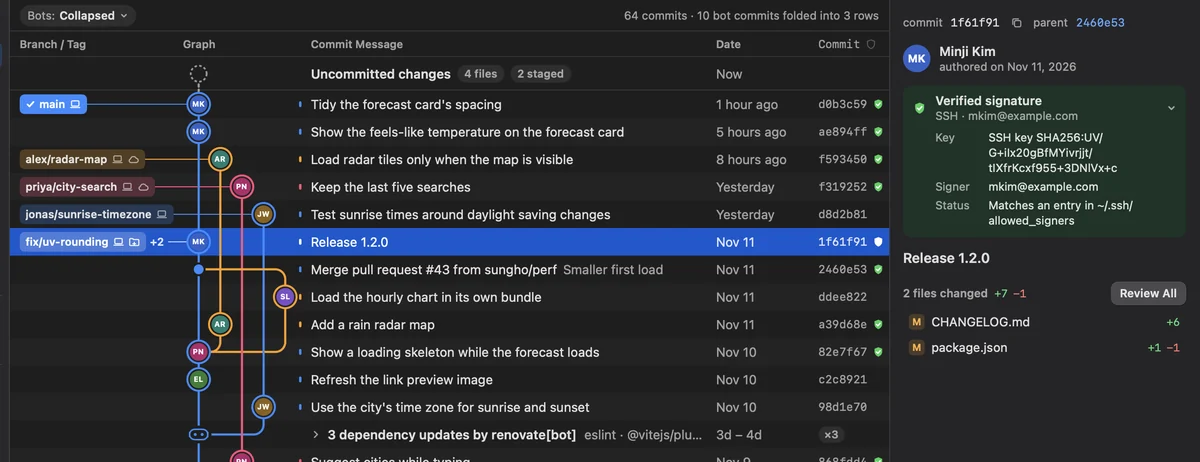
Signed commits. A shield marks every signed commit, and the panel shows who signed it with which key.
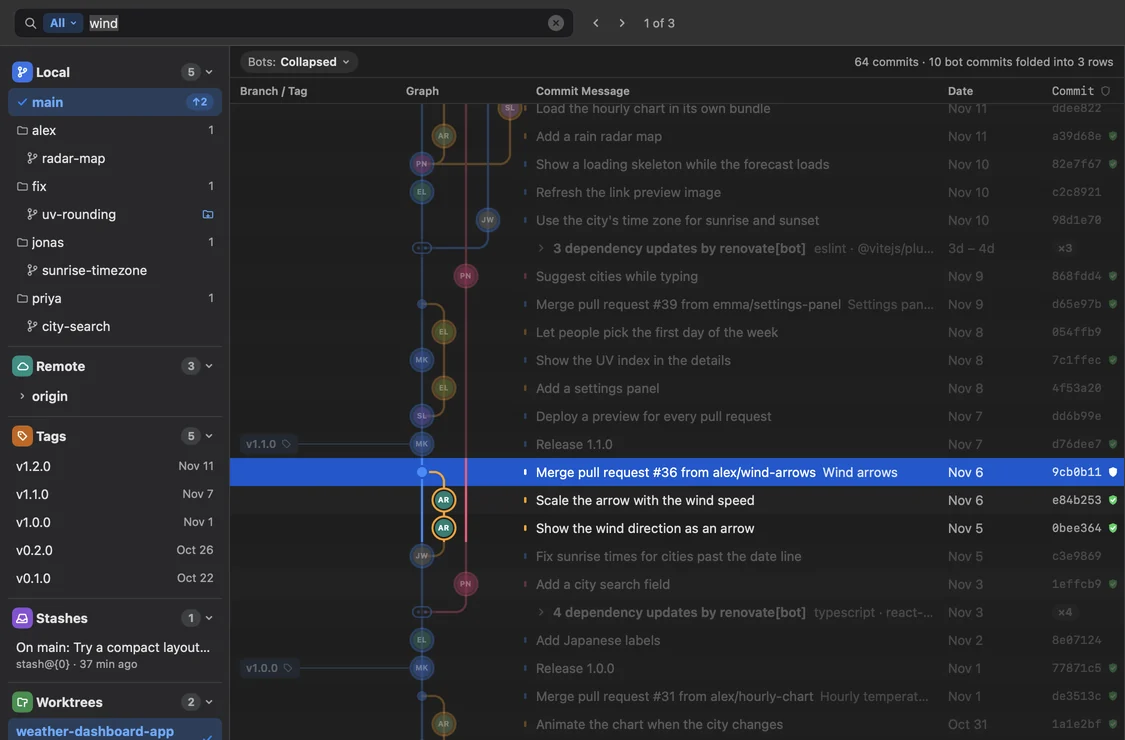
Search. Find commits by message, author or change, and step through what matches.
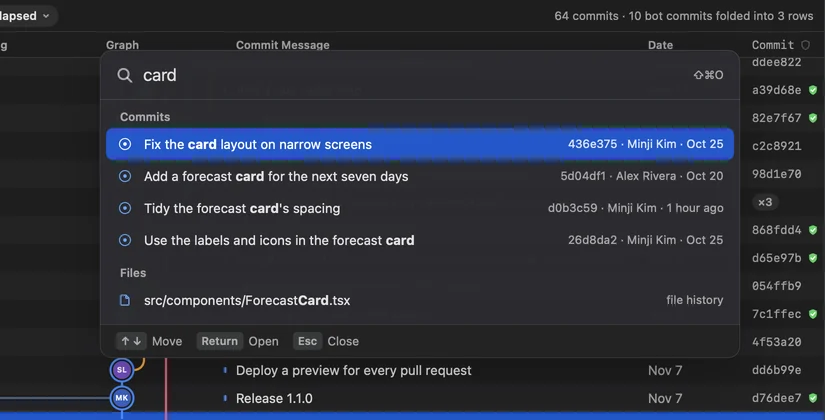
Quick Open. Jump to any commit or file from the keyboard with ⇧⌘O.
Changes
See exactly what changed
Every change down to the word, and the story of every line.
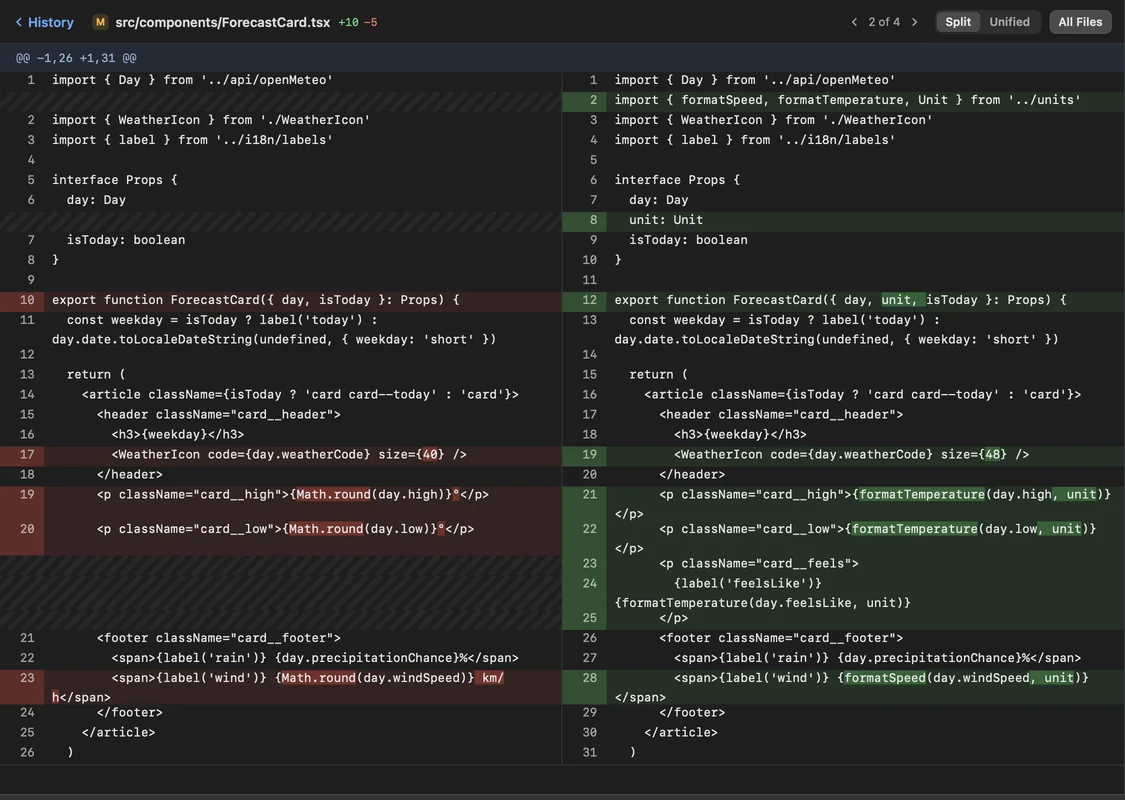
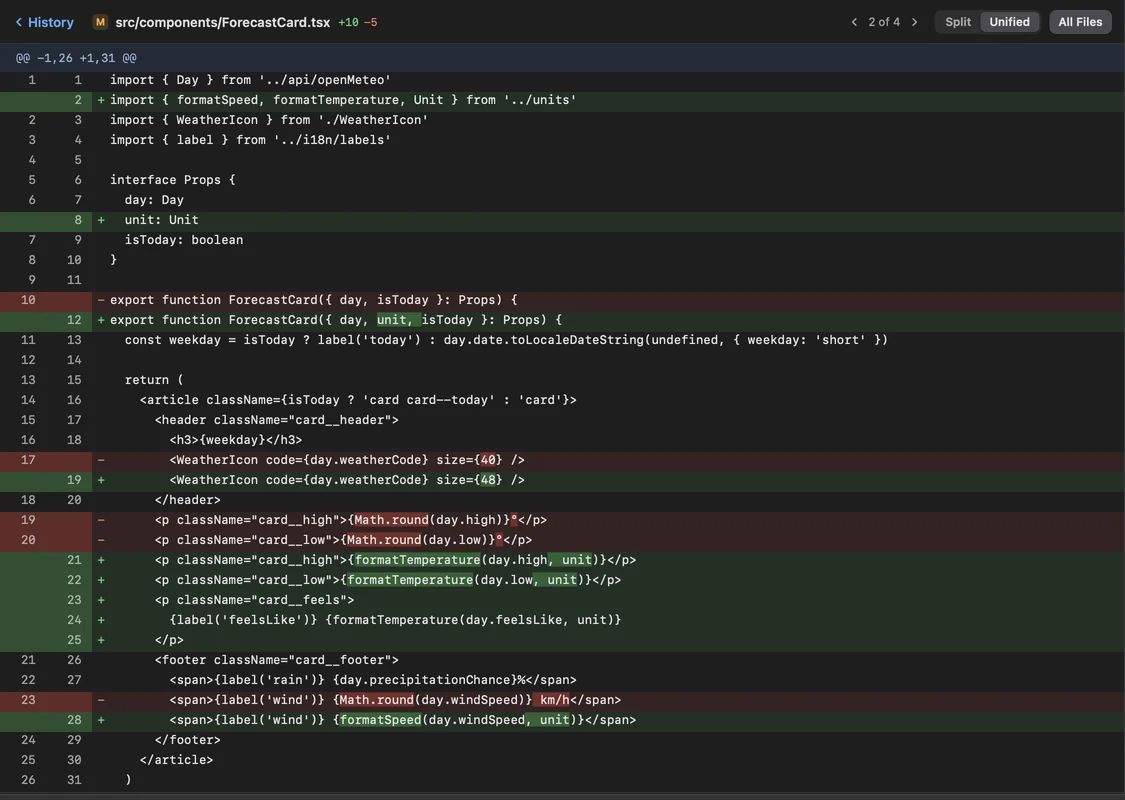
Diffs. Side by side or in one column, with the changed words marked.


Images. Compare two versions of an image side by side, swipe between them, or fade one over the other. Try it: drag the divider.
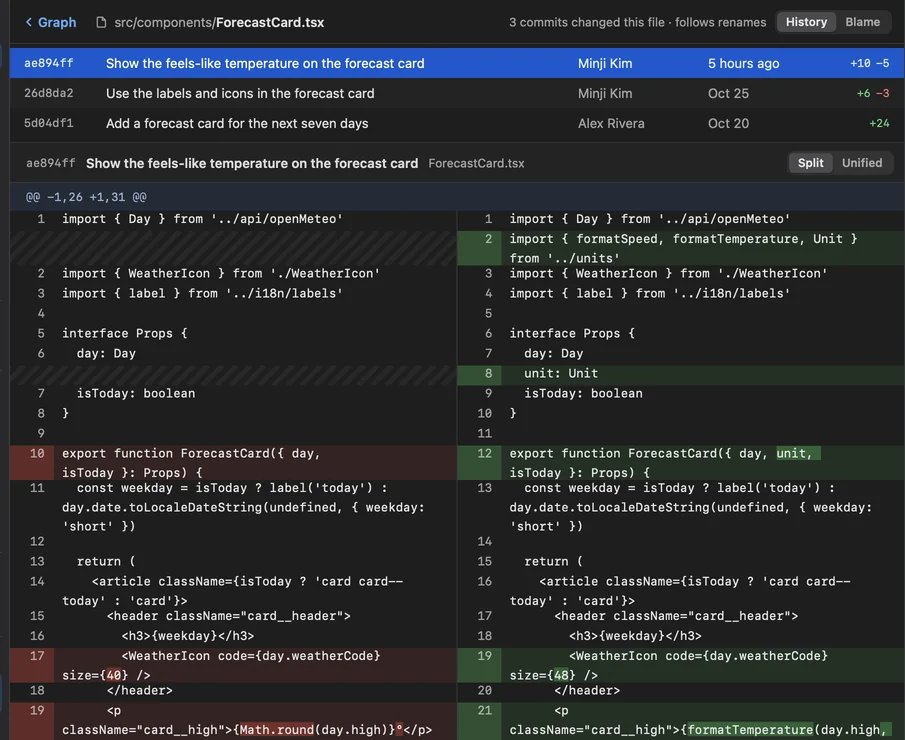
File history. Every commit that touched a file, following it through renames.
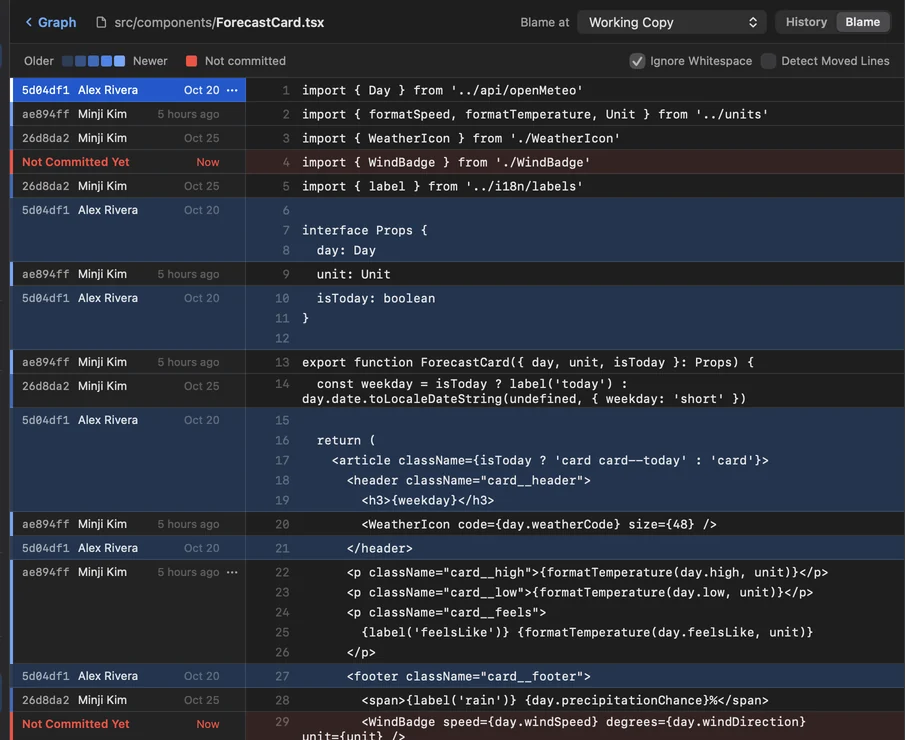
Blame. Who last changed each line and in which commit, uncommitted lines included.
Commit
Commit exactly what you mean
Stage line by line, and take back what you didn’t mean.
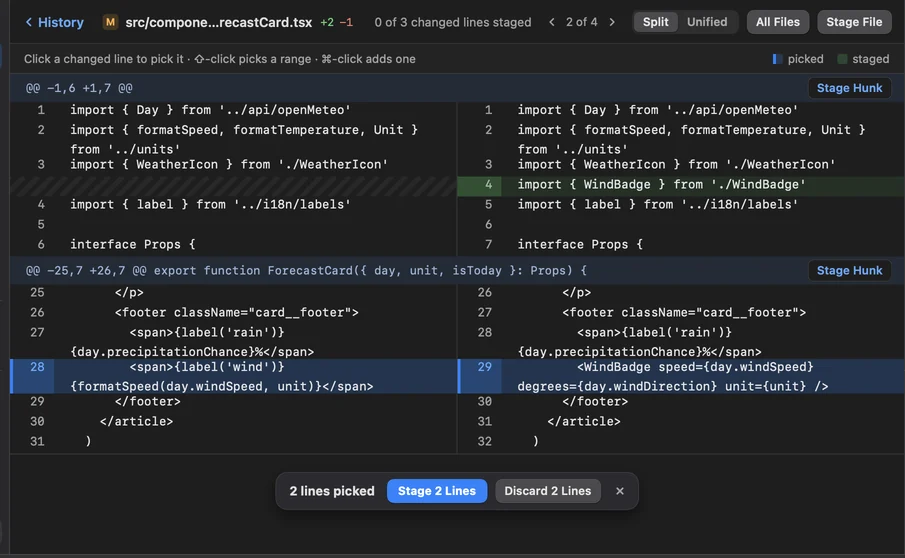
Stage single lines. Pick the lines that are ready and stage only those. The rest waits for the next commit. Try it: click a changed line, then Stage; ⌘Z takes it back.
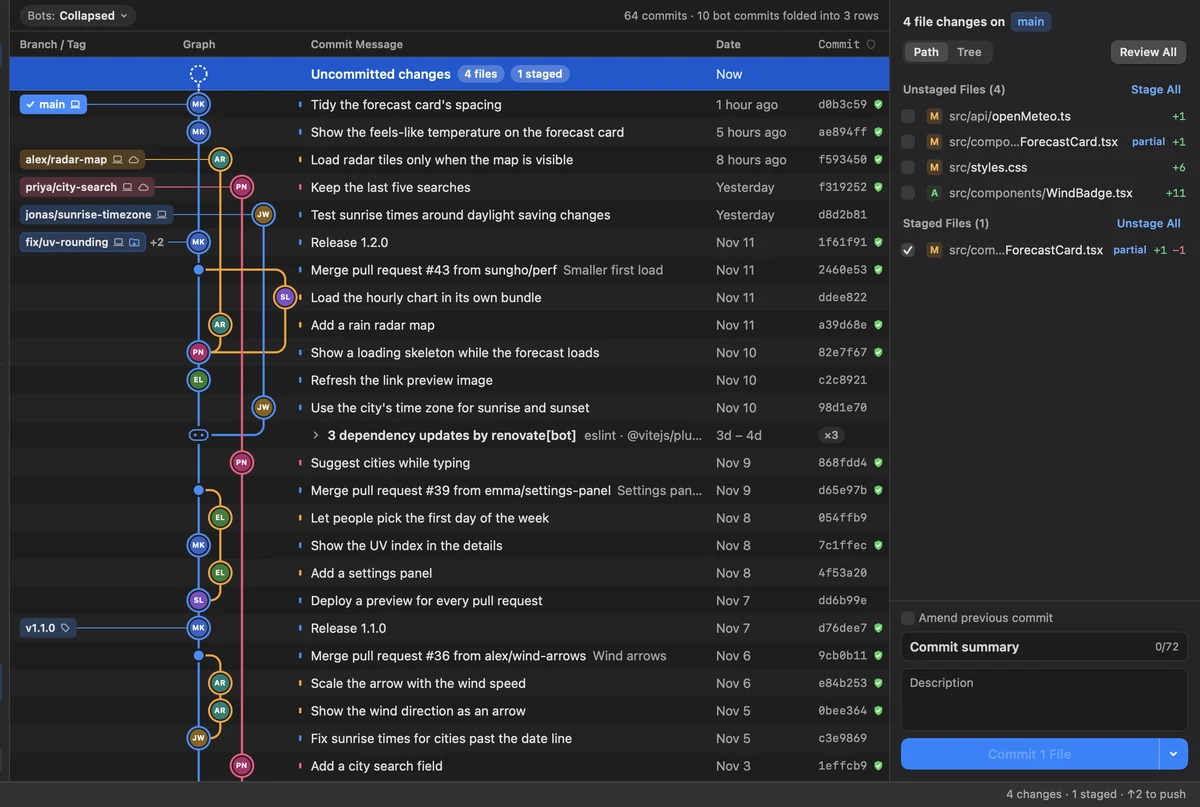
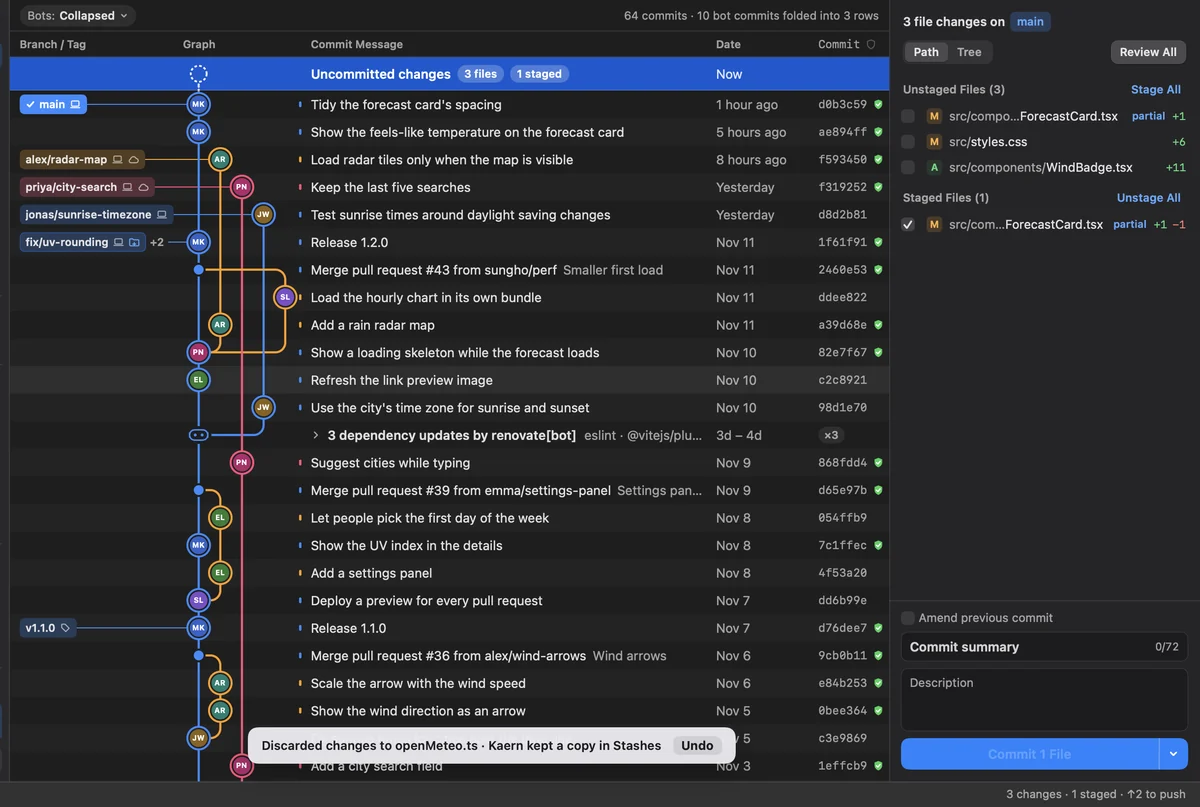
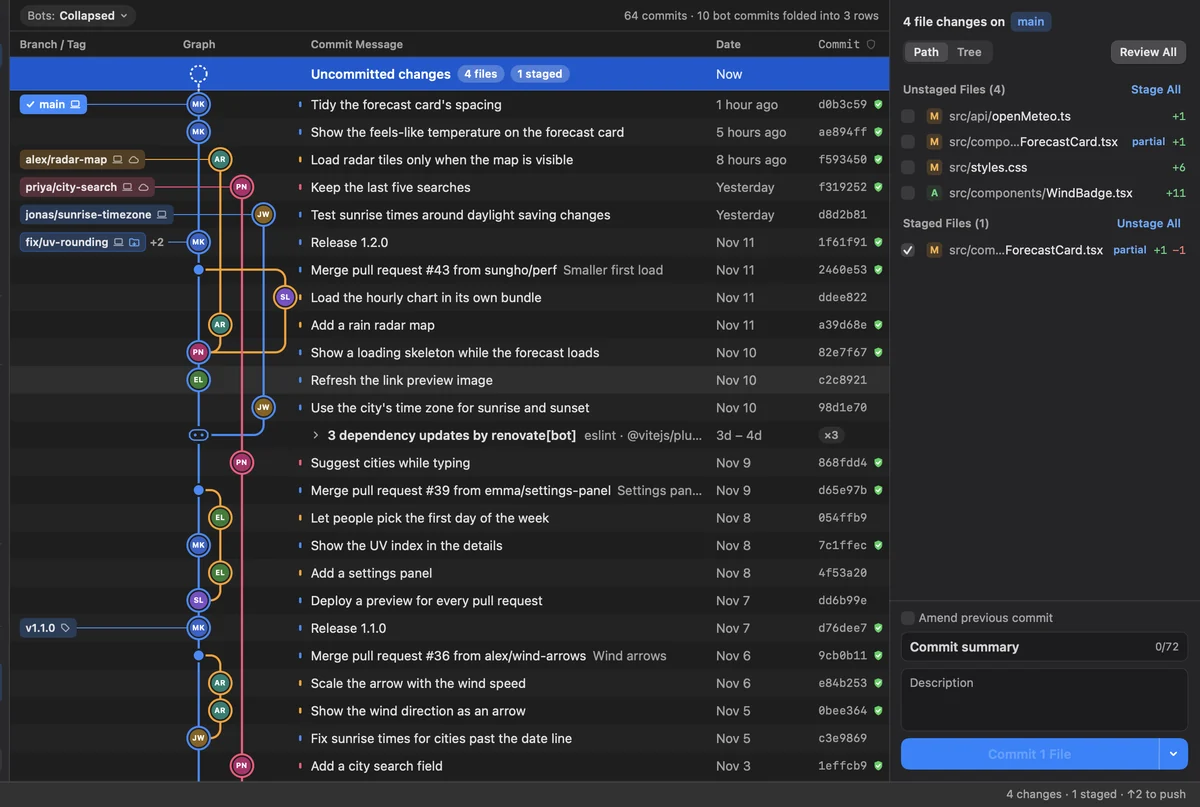
Undo with ⌘Z. Commits, checkouts, resets and discards can be undone. Before a discard, Kaern keeps a copy in Stashes.
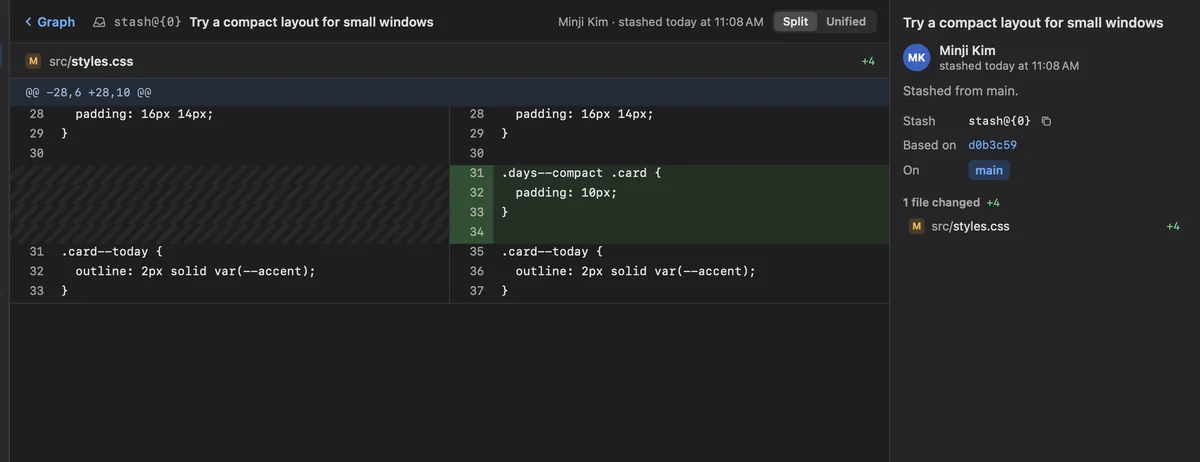
Stashes. Every stash with what it changed, ready to apply or pop.
Branches
Branch, merge and rewrite with confidence
See what will happen before it happens.
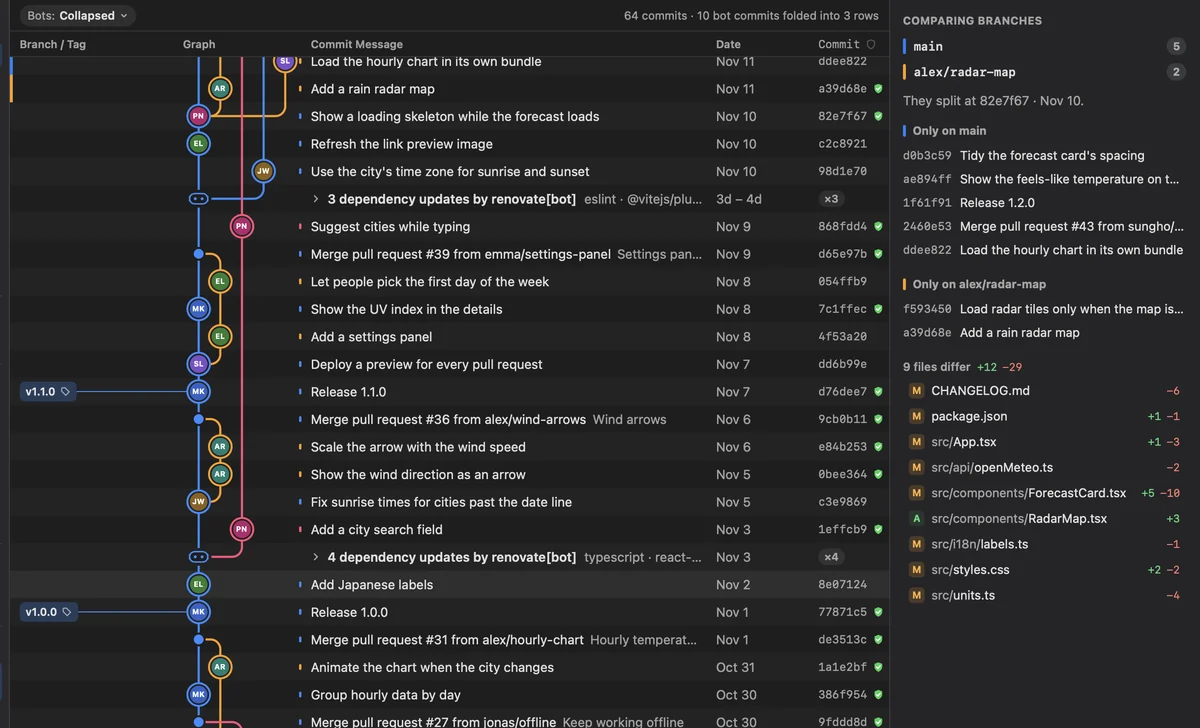
Compare branches. Where two branches split, what each has that the other doesn’t, and every file that differs.
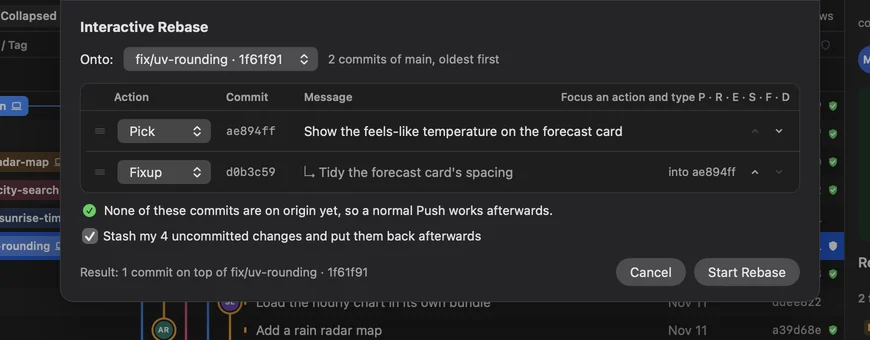
Interactive rebase. Reorder, squash, fix up and reword before you push. Kaern says whether a normal push still works afterwards.
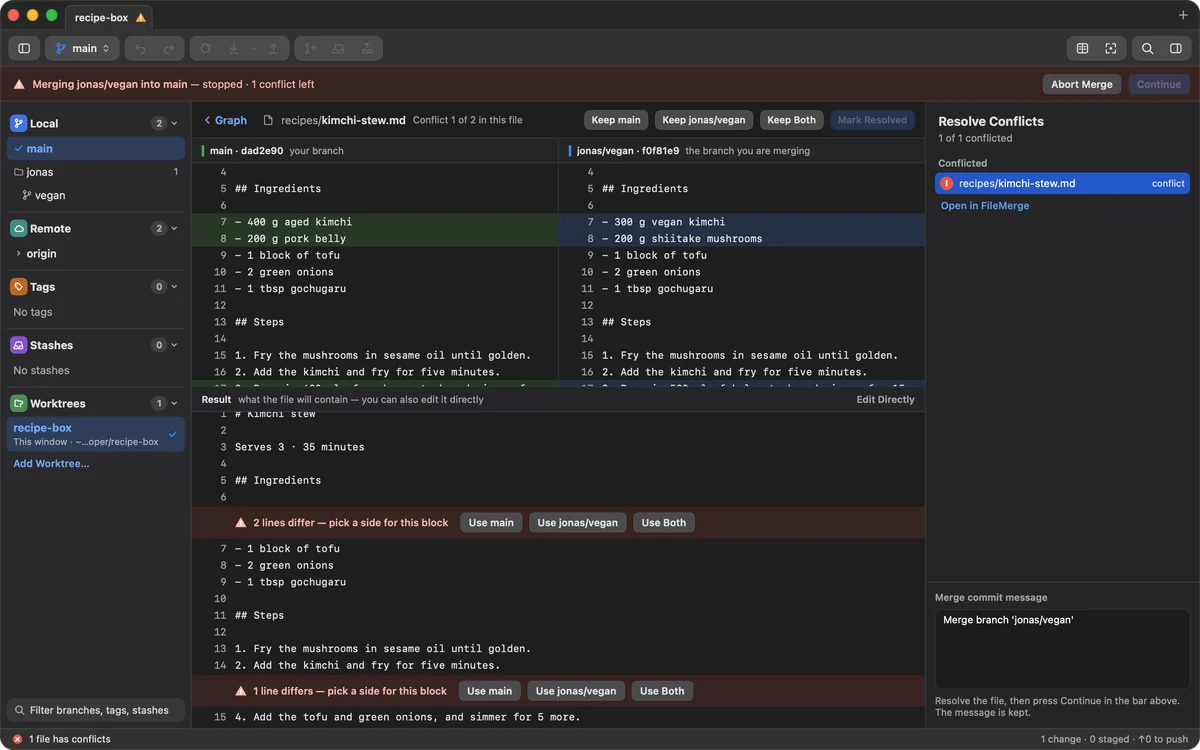
Merge conflicts. Keep one side or both for each conflict, and see the result before you continue. Try it: pick a side for each block, then Mark Resolved and Continue.
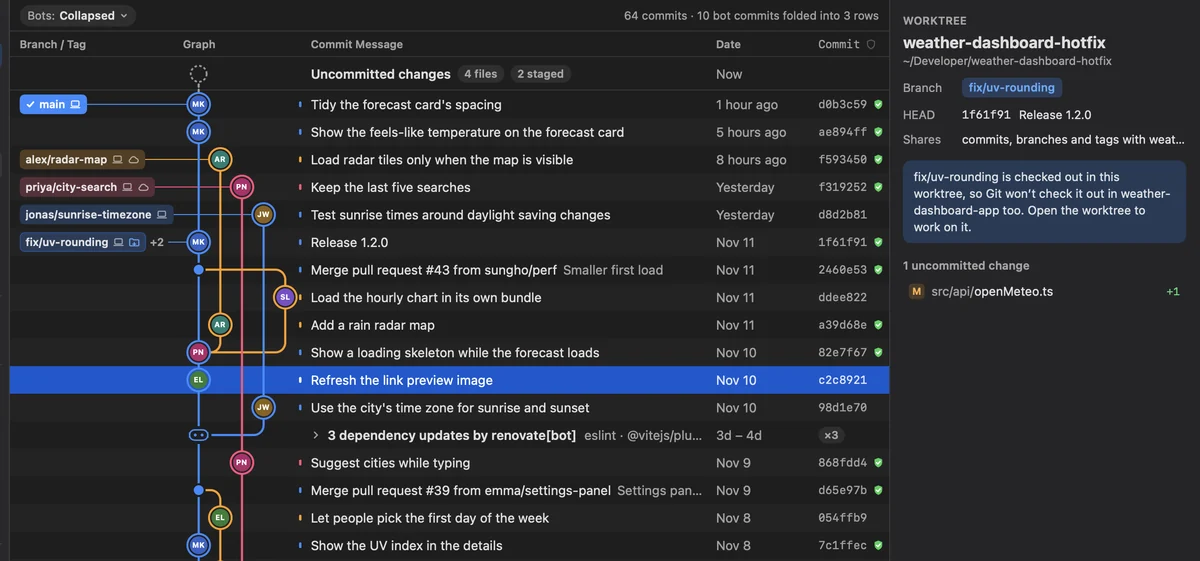
Worktrees. Check out another branch in a folder of its own, and keep working in both.
Under the hood
Nothing hidden
Kaern is a window onto git, not a replacement for it.
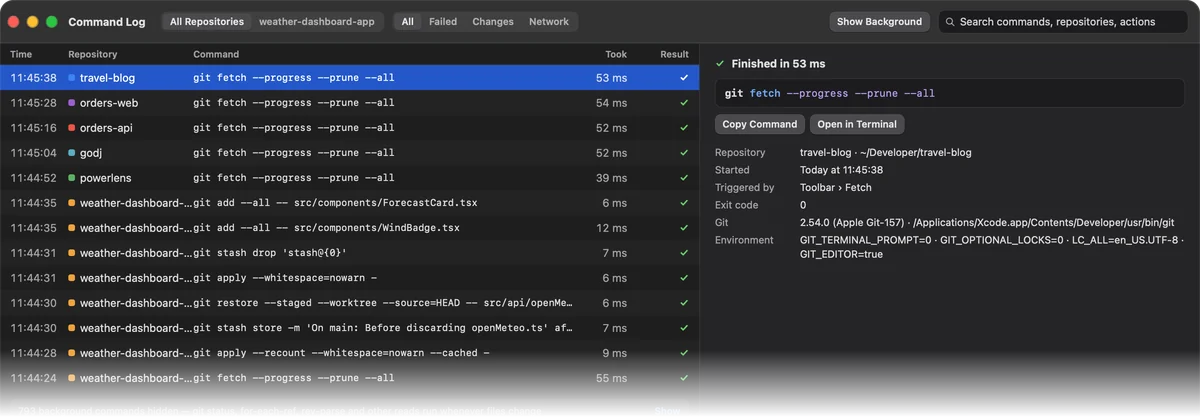
Command Log. Every git command Kaern ran, what triggered it and how long it took, ready to copy into Terminal.
- Cherry-pick and revert
- Amend
- Tags
- Submodules
- Git LFS
- Commit hooks
- Big repositories
Free and open source
Download Kaern for your Mac, or read the code on GitHub. It keeps itself up to date.
macOS 26 or later · Apple silicon